FREE FOR WINDOWS · v1.0.0

Find the font
you already
own.

A font shelf for makers with a bundle-site habit.

I have over 2,000 fonts installed and could never find the one I wanted, or tell whether it was cleared for something I'd sell. Font Shelf shows every installed font in your own words, finds fonts by the characters they contain, and flags what the licence actually says.

Windows 10 or 11, 64-bit · 18 MB zip · no account, nothing uploaded
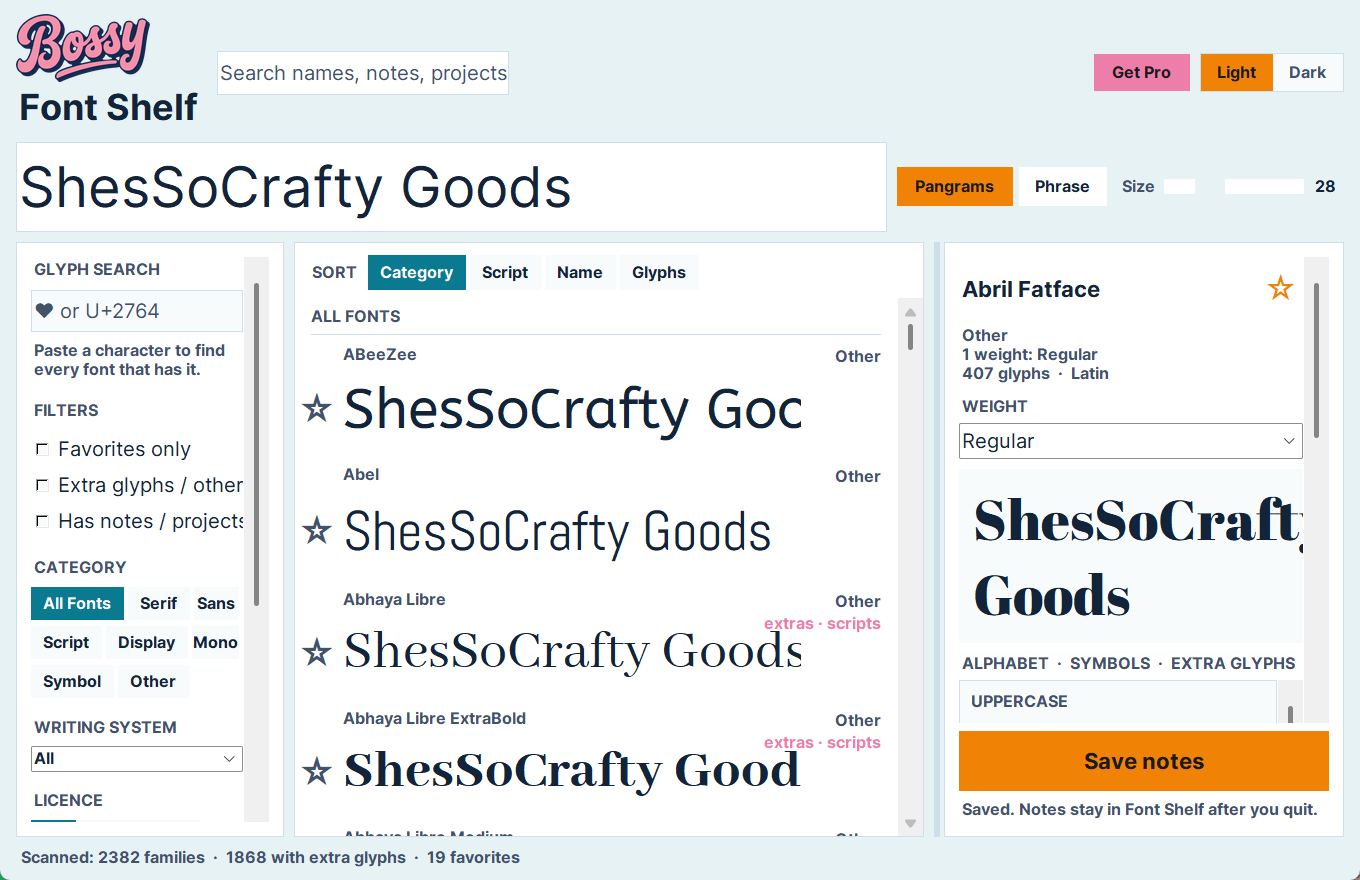
Bossy Font Shelf showing installed fonts previewed in a shop name, with glyph search and filters
Oh, you too?

Two thousand fonts.
Can't find a single one.

01

Your design app's font menu shows one line of tiny text per font. Good luck scrolling 2,000 of them.

You know you bought the perfect script in that bundle last spring. You just can't remember what it was called, and the dropdown won't show you your shop name in it.

02

You need a heart, a star, or a swash. Which of your fonts even has one?

Character Map makes you check one font at a time. Font Shelf checks every installed font at once.

03

"Free for personal use" is buried in a readme you deleted two years ago.

Most bundle fonts don't state their licence inside the file at all. Selling with the wrong one is how makers get takedown notices.

04

You decide a font is junk. Now go find it again in Windows Settings to remove it.

Windows can uninstall fonts one at a time, but from a list with no glyphs and no licence info. Font Shelf removes it right where you judged it.

What It Does

One shelf. Every installed font.

Font Shelf reads the fonts Windows already has installed. Nothing on your PC changes unless you choose to remove a font.

1

Preview in your own words

Type your shop name once and every font shows it. Slide the size and the whole list re-renders.

2

Glyph search

Paste a character (❤ ★ é) or a code like U+2764 and see only the fonts that contain it.

3

Sorted like a shop

Serif, sans, script, display, mono and symbol, plus writing system, extra glyph sets and the full character chart for every font.

4

Licence flags

Reads the licence each font declares and flags it Commercial OK, Personal only, or Needs check. No licence stated is a flag of its own.

5

Favorites, tags & notes

Star the keepers, tag them your way ("wedding", "kids", "chunky"), and search your own notes later.

6

Safe removal

Remove a font you've rejected. Files go to the Recycle Bin, and Windows system fonts are locked so you can't remove one by accident.

Free vs Pro

Free does the browsing. Pro remembers.

Everything you need to find and judge fonts is free, with no font cap and no time limit.

Free
$0  

Windows 10/11 — no account, no licence key.

  • Every installed font, previewed in your own text
  • Glyph search across your whole library
  • Category, writing-system & licence filters
  • Full glyph chart, weights & OpenType details
  • Licence read from each font file
  • Favorites, tags & notes
  • Safe removal to the Recycle Bin
Download Free
Install

Up and running in a minute.

1

Download & unzip

Right-click the zip, choose Extract All, and put the FontShelf folder anywhere you like.

2

Run FontShelf.exe

The first launch reads your installed fonts. A big library takes a few minutes; after that it opens straight from cache.

3

Saw a blue "Windows protected your PC" box?

That's SmartScreen, which flags any new app it hasn't seen many downloads of yet. Click More info, then Run anyway.

4

Optional: shortcuts

Right-click Install-FontShelf.ps1 in the folder and choose Run with PowerShell to add Start Menu and Desktop shortcuts.

Your favorites, tags and notes are stored on your own PC in %APPDATA%\FontShelf. Font Shelf has no account and sends nothing anywhere.

Go find that font.

Font Shelf Free is ready now. Questions or a feature you want? hello@bossyplugins.com